One Last Hand Controls and Lobby Settings
Host private tables, invite friends, and stop lobby fumbling.
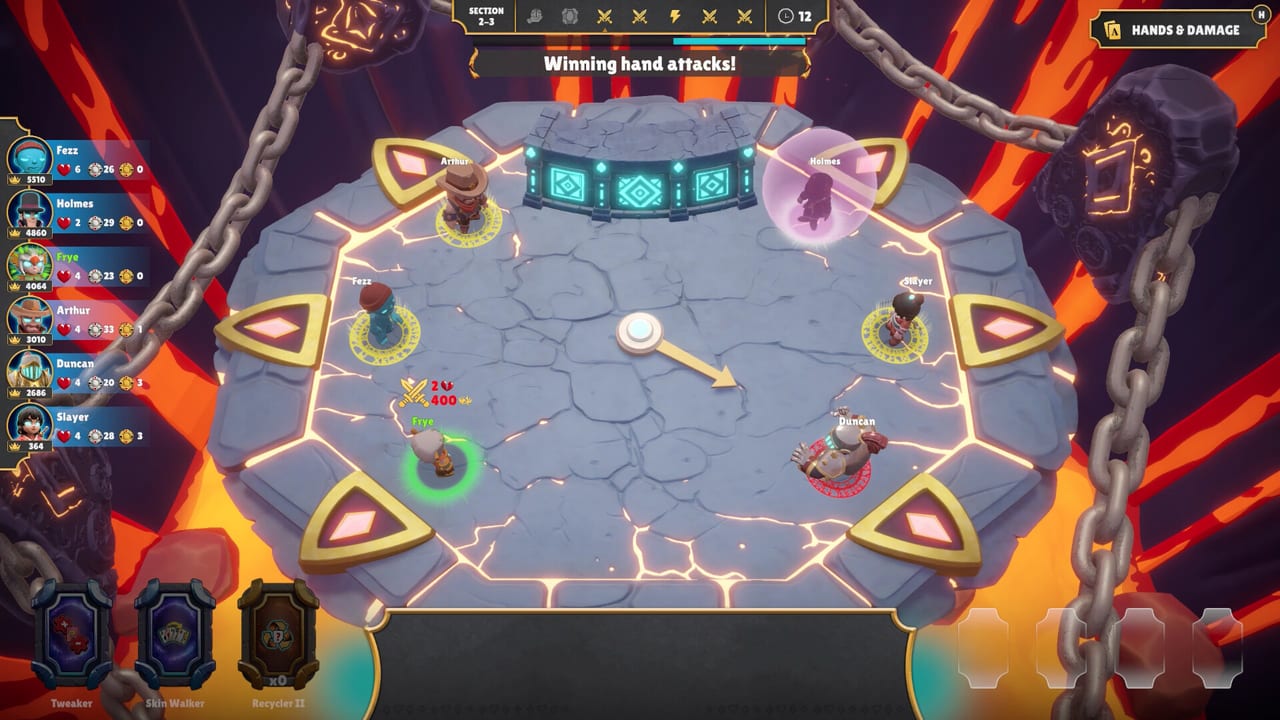
A great One Last Hand night dies in a messy lobby. This page covers how to think about controls, private lobbies, bots, and match settings so the auction starts on time.
Platform and input expectations
One Last Hand is a Steam title for Windows and macOS. The store lists comfort options such as custom volume controls, adjustable difficulty, a mouse-only path, and play without timed input depending on build. Always re-check the Steam page after patches—input prompts can shift as Fire Brick Games tunes the demo and launch builds.
Private lobbies first
Create a private lobby, invite friends, and set expectations before the first bid: High Score practice, teaching lobby, or chaotic everything-allowed table. The demo’s enhanced lobby messaging emphasizes host control over match settings—use that power to keep newer players in the deep end without drowning.
Bots as training wheels
If two friends are late, start with bots. Run one round where you only practice acquire bids, then one where you only practice denial. Point newcomers to How to Bid between matches instead of explaining mid-auction.
Settings worth agreeing on out loud
- Match length / score target vibes for High Score nights
- Whether veterans may full-send denial bids in teaching games
- Character pick order (random egos are fun; intentional picks are better for learning—see Who to Pick)
- Arena preference between Ruins and Canyon
Soft controls checklist (party UX)
- Confirm everyone finished the tutorial prompts
- Confirm volume and music levels so voice chat still works
- Confirm who is explaining Relics for the table
- Confirm a “question pause” rule for brand-new players
Hosting etiquette
Rotate hosts. Share the Demo Guide in chat before launch parties. Keep System Requirements handy for the friend on an older laptop. When launch adds more adjustable match settings and Last One Standing, revisit this page and Launch Changes.
Troubleshooting social friction
If someone hates denial bidding, remind them it is a core pillar—not griefing. If someone only wants Last One Standing, schedule a post-launch night instead of forcing the demo to be something it is not. Clear lobby framing prevents “the game is unfair” speeches that actually mean “I bid emotionally.”
Controls literacy is not about memorizing every bind—it is about making the table ready so skill can show. Host well, and even messy Relic luck feels like a party instead of a support ticket.
Step-by-step host flow
- Launch from Steam and confirm everyone is on the demo or the full release build.
- Create the private lobby before voice chat jokes consume ten minutes.
- Set mode and arena while people still listen.
- Drop links to How to Bid and Hand Ranks in chat for the first-timer.
- Start with a short bot or teaching round if the skill gap is huge.
- After match one, rotate seat order or character picks so one person does not soft-lock the “main.”
Accessibility and comfort
If a friend is sensitive to timed pressure, look for the store’s “play without timed input” style options in the current build and agree on a teaching lobby first. Volume sliders matter more than people admit when Relic stingers compete with Discord.
Cross-platform friends
The pitch includes online multiplayer for the Steam audience on Windows and macOS. Confirm everyone installed the same product (demo versus full game) before you troubleshoot “I cannot see your lobby” for half an hour. When in doubt, compare app pages and restart Steam overlays.
Voice chat and UI overlap
Party battlers generate noise. Ask everyone to lower music stingers until they learn Relic cues. If a friend cannot hear bid explanations, they will misplay auctions and blame the design. A thirty-second audio check belongs next to your arena select.
Mid-match host powers
If the demo or launch build exposes host tools mid-session, use them sparingly. Resetting a lobby because one person is tilted can be kindness; resetting because you are losing is how groups stop inviting you. Agree on a “rehost rule” before match one: connection drops yes, ego losses no.
Controller versus mouse comfort
Some players will insist on a controller for the slap fantasy. Others want mouse precision for menus. Let people choose as long as they are ready when the auction starts. The real control skill is decision speed, not stick flicking. If someone is still in the character screen when bidding begins, pause teaching and tighten the pre-match routine.
Recording and streaming lobbies
If you stream One Last Hand, disable overlays that cover timers. Call out that denial bidding is a feature so chat does not brigade your friends. Link How to Play in the stream description. Keep System Requirements ready for viewers on potato PCs who want to join later.
Post-match lobby hygiene
Before anyone leaves, decide the next mode and whether bots stay on. Groups that renegotiate every return-to-lobby screen lose half the night. A sticky note in Discord with “map / mode / teaching?” saves friendships already strained by Recycler luck.
Frequently Asked Questions
Quick answers to the most common questions.
Can I host a private One Last Hand lobby?
Yes. Private online lobbies for two to six players are a core part of the demo and full game pitch.
Do I need a controller?
Check the current Steam store input notes for your build. Many players will be fine with mouse-focused play.
What if my PC is old?
Compare your rig with the System Requirements page before demo night so you are not debugging drivers mid-auction.