One Last Hand Match Settings Checklist
Your table. Your rules. Your friends’ regrets.
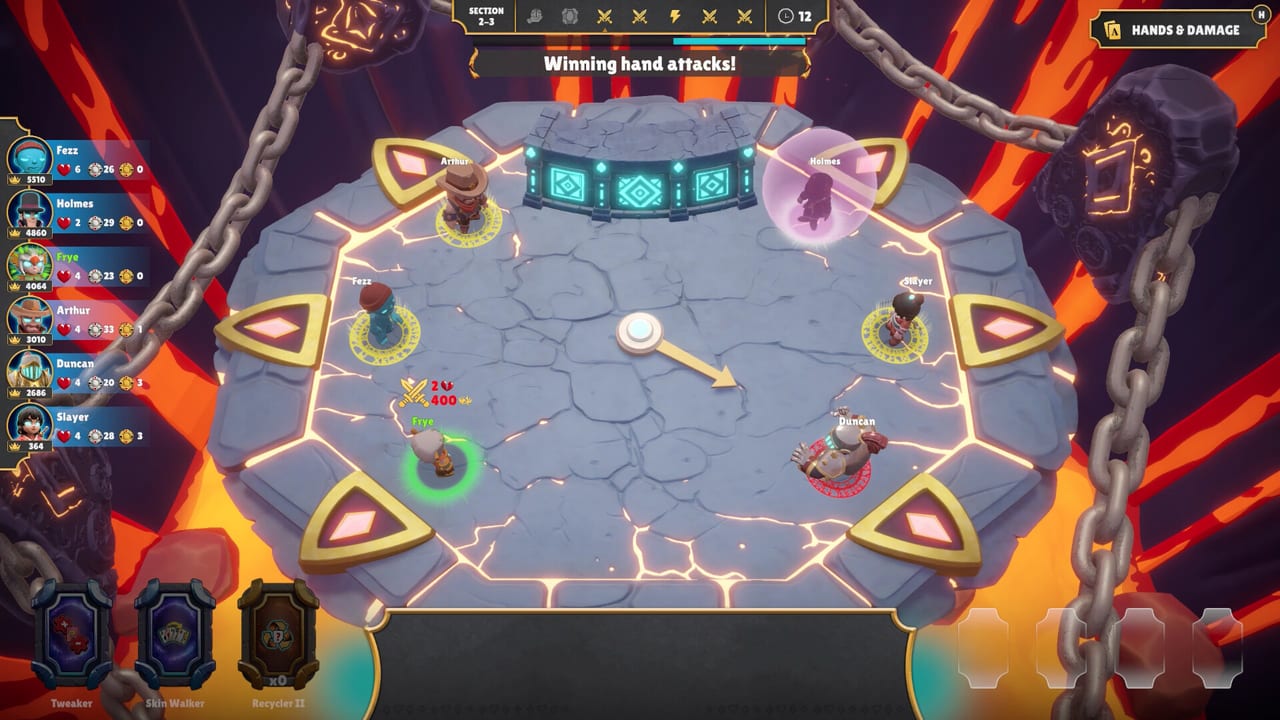
Full-release One Last Hand gives lobby hosts more control: adjustable game length and chip distribution from 10 to 50, plus the mode choice between High Score and Last Hand Standing. This tools page is the pre-match checklist so you stop renegotiating rules after someone already lost chips.
The two big dials
Game length
Short length = decisive conversion, fewer grudge arcs, better for weeknight teaching. Long length = revenge campaigns, more Relic stories, higher Discord volume. Pick intentionally.
Chips (10 to 50)
Studio copy is blunt: fewer chips make every secret bid dangerous; larger amounts create room for aggressive plays, expensive mistakes, and unnecessary bidding wars.
- 10–20: knife-fight auctions, denial hurts, whales self-destruct
- 25–35: default party feel for mixed skill
- 40–50: spectacle wars, longer comeback windows
Mode + settings matrix
| Goal | Mode | Length | Chips |
|---|---|---|---|
| Teach newcomers | High Score | Short | 25–35 |
| Sweaty conversion | High Score | Medium | 20–30 |
| Elimination night | Last Hand Standing | Medium/Long | 15–30 |
| Chaos content | Either | Long | 40–50 |
| Achievement experiments | Either | Medium | 25–40 |
Details on win conditions: Game Modes. Hosting UX: Controls and Lobby.
Pre-match script (say it out loud)
- Mode name
- Length
- Chip count
- Private vs public lobby
- Teaching flag (soft denial?)
- Arena preference (Ruins / Canyon)
- Whether Jose/Jack are contested picks
Paste that list in Discord. Link How to Play for the first-timer.
Public lobbies vs private tables
Demo notes already shipped public lobbies so you can browse open tables without assembling a full friend group. Public tables inherit stranger etiquette—announce experiments. Private tables inherit your house rules. See Demo Notes.
How settings change bidding
Low chips raise the value of How to Bid labels. High chips raise the value of cleanup Relics and conversion Tricks because people will overpay for theater. Adjust your personal S-list when the host moves the dials—Tricks Tier List and Relics Tier List are mode-and-economy sensitive.
Host ethics
- Do not silently change chips after match one because you are losing
- Rotate hosts across the night
- If someone is on a weak laptop, check System Requirements before blaming their bids
- Achievement hunting? Warn the lobby (Achievements)
Launch-week recommendation
Day one: medium length, mid chips, one High Score, one Last Hand Standing. Day two: experiment with 15-chip knife fights. Day three: long spectacle only if the group votes for it. Track feelings next to Launch Changes.
Quick printable checklist
- Everyone on the same build (demo vs full)
- Mode selected
- Length selected
- Chips 10–50 selected
- Lobby type selected
- Newcomer link shared
- Voice levels checked
- First match teaching rules agreed
Cross-links
- Hands language: Hand Ranks
- Auction habits: Bid Checklist
- Roster fights: Jose and Jack
Example night card
Match 1: High Score, medium length, 30 chips, teaching deny soft. Match 2: Last Hand Standing, medium length, 20 chips, full deny. Match 3: group vote. Paste that card beside Game Modes and Launch Changes.
Why hosts matter more at launch
New dials create silent arguments. Saying the numbers out loud is content strategy and friendship strategy. Revisit this checklist whenever Fire Brick Games retunes defaults.
Set the rules. Invite your friends. Blame the host when everything goes wrong—that is the studio-approved fantasy.
Frequently Asked Questions
Quick answers to the most common questions.
What chip range can hosts set at launch?
Official full-release notes describe adjustable chip distribution from 10 to 50.
Can I change game length?
Yes. Launch messaging highlights adjustable game length alongside chip controls.
Do settings exist in the demo?
The demo already improved lobby/host control; the full launch expands length and chip dials—confirm in your build.